
August 20, 2026
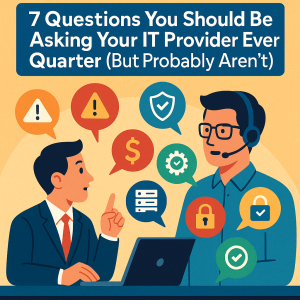
Choosing an IT provider isn't just about comparing monthly prices. It's about finding a partner who can keep your practice secure, productive, and compliant over the long term.
Many dental practices don't realize they've chosen the wrong IT company until they experience a major outage, ransomware attack, or compliance issue. Asking the right questions before signing an agreement can help you avoid costly mistakes.
________________________________________
10 Questions Every Healthcare Practice Should Ask Before Hiring an IT provider
Bring these questions to every meeting with a prospective IT provider. The quality of the answers will tell you far more than any sales presentation.
1. How many Healthcare practices do you currently support?
Every Healthcare IT has unique requirements, whether it is a dental office or a pharmacy or group of doctors practicing medicine. Experience with manufacturing, legal, or accounting firms doesn't automatically translate to Healthcare.
Look for providers who understand well known software applications relating to Healthcare, and the following items as well:
• Digital imaging systems
• Practice management workflows
• HIPAA Security Rule requirements
Why it matters: A provider familiar with healthcare operations can often diagnose and resolve issues much faster because they already understand the environment.
________________________________________
2. Which software platforms do you support?
Not every IT company has experience with the applications your practice relies on every day. A qualified provider should be comfortable coordinating with software vendors whenever issues arise.
________________________________________
3. What cybersecurity protections are included?
Don't settle for vague promises like "we keep you secure."
Ask for specifics.
Your managed IT agreement should clearly explain whether it includes:
• Managed endpoint detection and response (MDR)
• Antivirus and anti-malware
• Email filtering
• Multifactor authentication
• Security awareness training
• Vulnerability scanning
• Dark web monitoring (if offered)
• DNS filtering
• Backup monitoring
If these services cost extra, ask for a detailed breakdown before comparing proposals.
________________________________________
4. How do you help with HIPAA compliance?
No IT company can guarantee HIPAA compliance on its own, but a knowledgeable MSP should support your practice's compliance efforts.
Ask how they assist with:
• Security risk assessments
• Technical safeguards
• Documentation
• Access controls
• Encryption
• Audit logs
• Backup testing
• Incident response planning
The goal is to understand how the provider helps reduce risk—not simply whether they advertise HIPAA expertise.
________________________________________
5. What are your guaranteed response times?
Response time and resolution time are different.
For example:
Issue Reasonable Goal
Entire office offline 15–30 minute response
Server failure Immediate escalation
Single user unable to print Within one business hour
Password reset Often within minutes
Ask whether these commitments are documented in a Service Level Agreement (SLA).
If they aren't, request clarification before signing.
________________________________________
6. Do you monitor our systems 24/7?
Many practices assume "24/7 support" means someone is actively watching their network around the clock.
Often, it simply means someone is available to answer the phone.
There's a significant difference.
True proactive monitoring can detect:
• Failed backups
• Hard drive errors
• Storage capacity issues
• Server and PC performance problems
• Security alerts
• Network outages
before they become business disruptions.
________________________________________
7. What happens if we experience ransomware?
This answer should be immediate, structured, and well-rehearsed.
A capable provider should explain:
1. How systems are isolated
2. How the attack is investigated
3. How backups are verified
4. How operations are restored
5. How communication is handled
6. How future risks are reduced
If the provider struggles to explain this process, that's a warning sign.
________________________________________
8. How often are backups tested?
Many businesses assume backups are working simply because they receive a success notification.
Unfortunately, backups aren't valuable unless they can be restored successfully.
Ask:
• How often are restore tests performed?
• How long would recovery take?
• Where are backups stored?
• Are backups protected from ransomware?
Testing is just as important as backing up.
________________________________________
9. Can you provide references from Healthcare practices?
General business references are helpful.
References from other dentists are even better.
Ask prospective providers about:
• Practice size
• Length of relationship
• Services provided
• Typical response times
Speaking with an existing client often reveals more than any proposal.
________________________________________
10. What is included in the monthly fee?
Don't compare proposals based solely on price.
Compare what's included.
A lower monthly fee may exclude:
• Security software
• Backup licensing
• Microsoft 365 management
• Compliance consulting
• Onsite support
• After-hours service
• Vendor coordination
Understanding the total cost prevents unpleasant surprises later.
________________________________________
Red Flags That Should Make You Think Twice
Not every IT provider is the right fit for a Healthcare practice.
Watch for these warning signs during your evaluation.
🚩 They focus only on price.
If every conversation centers around offering the lowest monthly cost, important services may be missing.
Remember:
A ransomware recovery costs far more than good cybersecurity.
________________________________________
🚩 They don't ask about your practice.
A good consultant asks questions before recommending solutions.
They should want to understand:
• Number of employees
• Number of operatories
• Locations
• Current software
• Existing pain points
• Compliance concerns
• Future growth plans
If they recommend the same package for every client, they're probably treating your practice like every other business.
________________________________________
🚩 They promise "100% security."
No honest cybersecurity professional makes this promise.
Security is about reducing risk through layered defenses, monitoring, employee training, and continuous improvement.
Providers who guarantee complete protection are oversimplifying a complex challenge.
________________________________________
🚩 They react instead of prevent.
Ask prospective providers:
"What do you do each month to prevent problems?"
If most of their work happens after something breaks, they're operating reactively instead of proactively.
Preventive maintenance should be a core part of every managed IT relationship.
A Simple Comparison Worksheet
As you evaluate providers, score each one from 1 (Poor) to 5 (Excellent).
Evaluation Area Provider A Provider B Provider C
Healthcare experience
Cybersecurity expertise
HIPAA support
Response times
24/7 monitoring
Backup & disaster recovery
Pricing transparency
Client references
Strategic guidance
Overall confidence
Part 3 is going to follow after this with more details and knowledge. In the meantime, if you have any questions to ask, book a discovery call here.